What Is GPT Image 2? A Complete Guide to OpenAI's Image Model
Guide to GPT Image 2 (gpt-image-2): release date, capabilities (photorealism, text, 4K), pricing, prompt tips, and vs DALL-E 3, gpt-image-1.5, Midjourney.
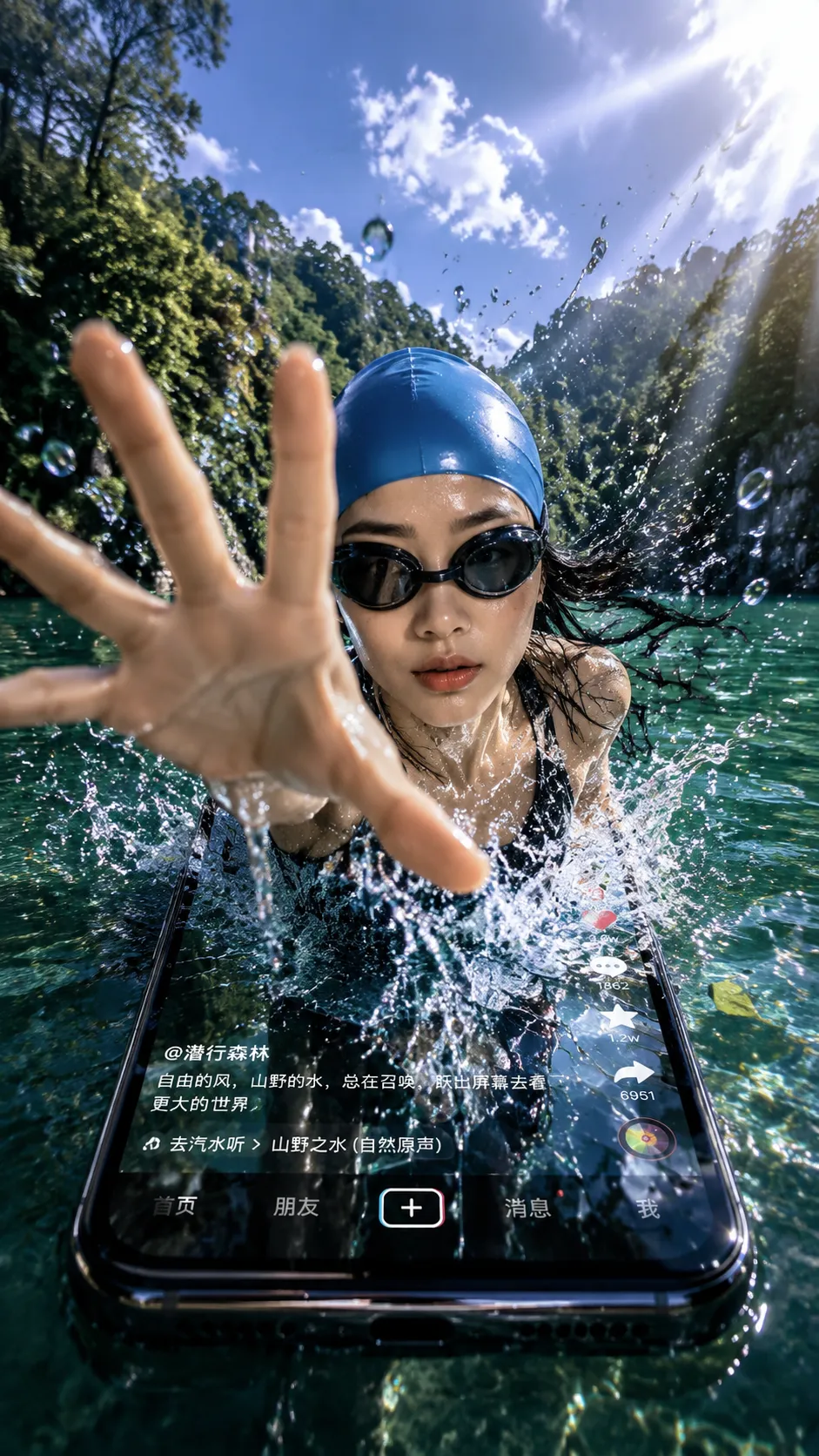
GPT Image 2 (also written as gpt-image-2) is OpenAI's flagship text-to-image model, officially released on April 21, 2026, with the current production snapshot gpt-image-2-2026-04-21. As the successor to the DALL-E 3 lineage, it brings photorealistic quality, accurate text rendering, and reliable multi-subject composition — and elevates "in-image text" from "occasionally usable" to "production-ready."
This guide covers its capabilities, pricing, prompt engineering, and how it compares to other models in 2026.
1. The Problem GPT Image 2 Solves
Earlier diffusion models (Stable Diffusion 1.5, DALL-E 2, DALL-E 3) suffered from three chronic weaknesses:
- Unreadable text in images — signs, labels, and posters came out as garbled glyphs
- Unstable multi-subject composition — "a red car on the left, a blue motorcycle on the right" frequently collapsed into two color-confused vehicles
- Detail artifacts — fingers, eyes, reflections, and small text often looked subtly wrong
GPT Image 2 pairs an autoregressive language model with a diffusion decoder, so the model actually "understands" the semantic structure of a prompt before generating pixels. This addresses all three problems at once — it's an architectural generational leap, not just a parameter scale-up.
2. Core Capabilities
- Photorealistic output — skin tones, fabric textures, metallic reflections, and glass translucency approach real photography
- Accurate text rendering — signs, product labels, UI screenshots, and poster headlines are legible, with support for non-Latin scripts (Chinese, Japanese, Arabic, etc.)
- Strong prompt adherence — long, detailed, structured prompts are followed faithfully
- Multi-subject composition — multiple characters and objects can be positioned, colored, and posed independently
- Identity consistency — faces, outfits, and styles stay stable across an edit sequence
- Multimodal editing — supports masked inpainting, reference-image fusion, and style transfer
- Resolutions — native 1024×1024, 1024×1792 (portrait), 1792×1024 (landscape), with second-pass upscaling to 4K
3. Pricing (as of June 2026)
OpenAI bills by token:
| Line item | Price (USD per million tokens) |
|---|---|
| Input (prompt + reference images) | $8 |
| Cached input | $2 |
| Output (generated images) | $30 |
Translated to typical cost per 1024×1024 image:
| Quality tier | Per-image reference cost |
|---|---|
| low (sketches / mockups) | ~$0.006 |
| medium (social media assets) | ~$0.053 |
| high (ad creative, final delivery) | ~$0.211 |
The low tier is for high-volume exploratory iteration; the high tier is for final delivery. They differ by ~35×, so picking the right quality tier materially affects cost.
4. Common Use Cases
1. Marketing and Ad Creatives
Marketing teams use it to batch-generate ad variants, social posts, and product mockups. Accurate text rendering means headlines, CTAs, and brand names can appear directly in the image — no Photoshop retouching needed. Combined with multi-subject stability, a single prompt can produce a complete composition of "product on the left, copy on the right, CTA at the bottom."
2. Professional Headshots
Job seekers, remote teams, and content creators generate a consistent set of professional headshots from one selfie plus a prompt (suit, white backdrop, studio lighting) — no studio booking, no photographer fee. Try it yourself in the GPT Image 2 AI headshot generator.
3. Concept Art and Illustration
Illustrators, game artists, and novelists use it for character design, scene mood boards, and storyboard sketches. Running 10–20 AI concepts before commissioning final art dramatically reduces communication overhead.
4. UI and Web Design
Designers generate hero images, placeholder content, and landing-page visual references. The readable-text capability makes high-fidelity mockups possible — stakeholders see something close to the final product instead of Lorem Ipsum.
5. Infographics and Posters
When data visualization needs to live inside a poster, GPT Image 2 can handle charts and design elements simultaneously while keeping titles and data labels legible.
6. Multilingual Content
Accurate rendering of Chinese, Japanese, Korean, Arabic, and other non-Latin scripts unlocks localized marketing assets, manga-style illustration, and Arabic-language posters — all from a single English-language prompt.
5. Prompt Engineering: Guidance from OpenAI's Cookbook
Structured template
OpenAI recommends organizing prompts in this order:
[Background/Setting] → [Subject] → [Detail description] → [Constraints]
Putting the background first lets the model establish space before placing the subject; putting constraints (aspect ratio, style, things to avoid) at the end acts as a closing clamp.
Full example
A modern minimalist coffee shop counter,
a female chef in her 30s plating a dessert,
she wears an off-white chef's coat, hair tied back, focused expression,
warm window light from the left, 50mm lens, shallow depth of field,
no text in the image, no customers visible
Five high-yield rules
- Be specific, not flowery. Avoid vague modifiers like "beautiful" or "amazing." Describe the actual visual property ("window light from the left at 45°", "50mm lens with shallow DoF").
- Quote text, use ALL CAPS. When text must appear in the image, wrapping it in quotes and using uppercase —
"SUMMER SALE"— meaningfully improves accuracy. - Iterate, don't overload. Stuffing 20 details into one prompt causes trade-offs. Generate the base composition first, then use inpainting to add details.
- Specify the quality lever. Explicitly set
quality: highfor final delivery andquality: lowfor exploration to control cost precisely. - Anchor style with a reference image. A reference image lets a batch of outputs share the same art style or character identity.
6. How It Compares
| Model | Released | In-image text | Photorealism | Multi-subject | Typical price (1024²) |
|---|---|---|---|---|---|
| GPT Image 2 | 2026-04 | Excellent | Excellent | Excellent | $0.006 – $0.211 |
| gpt-image-1.5 | 2025-Q4 | Good | Excellent | Good | ~$0.04 – $0.19 |
| gpt-image-1 | 2025-04 | Good | Good | Fair | ~$0.02 – $0.17 |
| gpt-image-1-mini | 2025-04 | Fair | Fair | Fair | ~$0.001 – $0.04 |
| DALL-E 3 | 2023-10 | Good | Good | Fair | ~$0.04 – $0.12 |
| Midjourney v6 | 2024 | Fair | Excellent | Good | Subscription |
| Stable Diffusion 3 | 2024 | Fair | Good | Good | Free (self-hosted) |
Bottom line:
- If you need readable in-image text and multi-subject stability → GPT Image 2 is the only first choice in 2026
- If you need artistic flair and don't need text → Midjourney v6 still has an edge
- If you need full control, self-hosting, fine-tuning → Stable Diffusion 3
- For high-volume exploration on a budget → gpt-image-1-mini
7. How to Get Started
Our platform is wired to the latest GPT Image 2 snapshot — try it free on the GPT Image 2 online generator. Sign up to receive free credits, then enter your prompt, pick size and quality, and download the result or save it to your history.
Tip: For first-time use, run 5–10 images on the low tier to explore the composition, then switch to high for the final deliverable. This keeps quality high while minimizing cost.
References:
- OpenAI announcement: Introducing GPT Image 2 (2026-04-21)
- OpenAI Cookbook: GPT Image 2 prompt engineering guide
- OpenAI pricing: platform.openai.com/pricing